
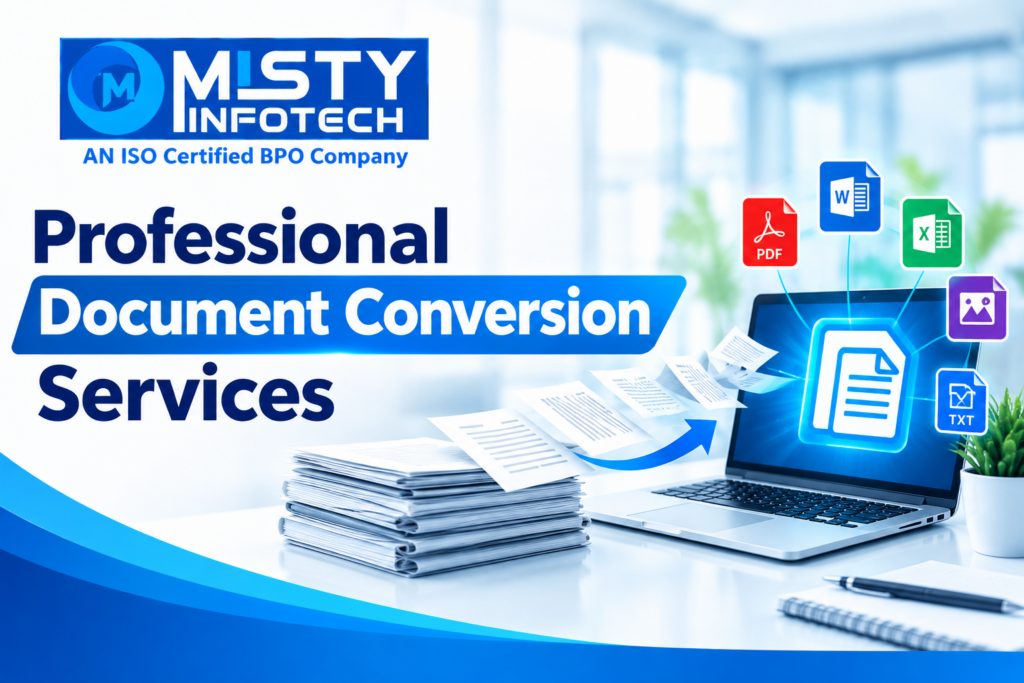
Professional Document Conversion Services
Businesses handle information in many formats, including PDF files, JPG images, scanned documents, Word files, Excel spreadsheets, and paper records. When information needs to be shared, edited, organized, or stored digitally, converting documents into suitable formats becomes an important part of daily operations.
However, manual document conversion can consume time, especially when businesses process large volumes of files. Formatting differences, missing information, and data-entry errors can also affect the usability of converted documents.
Professional Document Conversion Services help businesses transform information from one format into another according to their operational requirements. With a structured conversion process, organizations can make documents easier to edit, organize, retrieve, and maintain.
What Are Professional Document Conversion Services?
Document conversion is the process of transforming a document or file from one format into another while preserving the required information and structure as accurately as possible.
For example, a business may need to convert a scanned invoice into an editable Word document or transfer tabular information from a PDF into an Excel spreadsheet.
Professional document conversion services may include:
PDF to Word conversion
PDF to Excel conversion
JPG to DOC conversion
Image-to-text conversion
Scanned document conversion
Word to PDF conversion
Spreadsheet format conversion
Document digitization
Data extraction from documents
Formatting and document cleanup
The appropriate conversion method depends on the source file, the required output, and the complexity of the content.
Why Do Businesses Need Document Conversion?
Digital information is easier to manage when it is stored in formats suitable for the intended purpose. Businesses may need editable documents for revisions, spreadsheets for calculations, or searchable files for recordkeeping.
Professional document conversion can support these requirements in several ways.
1. Makes Documents Easier to Edit
Scanned documents and images may contain information that cannot be edited directly.
Converting the content into an editable Word document or another suitable format can help businesses revise text, update records, and reuse information without recreating the entire document manually.
2. Helps Organize Business Information
Companies often receive files from different departments, customers, suppliers, and business partners.
Converting these files into consistent formats can make information easier to organize and maintain.
For example, information from multiple PDF reports may be transferred into a structured spreadsheet for further review.
3. Supports Digital Recordkeeping
Paper records and scanned documents can be difficult to search and manage when stored without a consistent system.
Document digitization and conversion can help businesses maintain digital records that are easier to categorize, retrieve, and archive.
Searchability depends on the conversion method, the quality of the source document, and whether text recognition is applied.
4. Reduces Repetitive Manual Work
Manually recreating information from images, PDFs, and scanned pages can take considerable time.
A defined conversion workflow can reduce repeated effort and help employees focus on other operational tasks. Converted documents should still be reviewed for accuracy, particularly when they contain important business information.
5. Improves Information Accessibility
Different teams may need the same information in different formats.
For example, a manager may need a Word document for editing, while the accounts team may require a spreadsheet containing structured figures.
Suitable conversion processes help prepare information for its intended use.
Common Types of Document Conversion Services
PDF to Word Conversion
PDF to Word conversion transforms PDF content into an editable Word document.
It can be useful for business reports, letters, contracts, proposals, and administrative documents that require revisions.
Complex layouts, tables, fonts, and images may need additional formatting after conversion.
PDF to Excel Conversion
PDF to Excel conversion transfers tabular information into a spreadsheet format.
Common use cases include:
Invoice tables
Product lists
Financial statements
Inventory records
Sales reports
Structured business data
The results should be checked to ensure that rows, columns, numbers, and headings have been transferred correctly.
JPG to DOC Conversion
JPG to DOC conversion involves transferring text and other relevant information from an image into an editable Word document.
This service may be useful for scanned letters, printed forms, image-based reports, and other documents stored as pictures.
If the source image is blurry or contains handwriting, additional manual review may be required.
Image-to-Text Conversion
Image-to-text conversion uses optical character recognition (OCR) or other suitable techniques to extract text from images.
It can help businesses make printed content available in editable or searchable form.
OCR accuracy depends on image resolution, language, fonts, document layout, and the quality of the original image.
Scanned Document Conversion
Scanned document conversion transforms digital scans into usable formats such as searchable PDFs, Word documents, or structured spreadsheets.
Businesses may use this service when digitizing older records or organizing paper-based information.
Word to PDF Conversion
Word to PDF conversion creates a PDF version of a Word document for sharing, distribution, and consistent viewing.
The final document should be checked to ensure that its layout, fonts, images, and page breaks display as intended.
Industries That Can Benefit From Document Conversion
Professional document conversion can support organizations across multiple industries.
Healthcare and Insurance
Administrative teams may need to digitize forms, organize documents, and convert records into suitable formats. Sensitive information must be handled according to applicable privacy, confidentiality, and data-protection requirements.
Education
Schools, colleges, and training organizations may convert printed notes, forms, certificates, reports, and educational documents into digital formats.
E-Commerce and Retail
Retail businesses may need to convert product catalogues, inventory lists, supplier documents, and order-related information into editable files.
Real Estate
Property businesses may convert listings, scanned agreements, forms, brochures, and other administrative documents into suitable digital formats.
Finance and Accounting
Finance teams may need to extract tabular information from invoices, statements, receipts, and reports. Converted financial information should be carefully verified before it is used for accounting or reporting.
Logistics and Manufacturing
These organizations may convert shipment records, product specifications, inventory sheets, delivery documents, and operational reports into digital formats.
How a Professional Document Conversion Process Works
A structured workflow helps businesses define what needs to be converted and how the final output should be checked.
Step 1: Receive and Review Files
Identify the source format, document quality, page count, and conversion requirements.
Step 2: Convert the Documents
Use an appropriate conversion method based on the source file and required output.
Step 3: Verify Content and Formatting
Review text, tables, numbers, headings, and layout for errors or missing information.
Step 4: Deliver and Organize Files
Save the converted files in the agreed format and organize them for convenient access.
The exact workflow can vary according to document complexity, volume, confidentiality requirements, and the intended use of the converted information.
What to Consider When Choosing a Document Conversion Provider
Before selecting a service provider, businesses should evaluate several factors.
Format support: Confirm that the provider can handle the source and destination formats required for the project.
Accuracy and quality control: Ask how the converted documents are checked for missing text, incorrect numbers, and formatting problems.
Handling complex layouts: Tables, multiple columns, charts, and scanned pages may require additional processing.
Data security: Establish appropriate procedures for file access, transfer, storage, retention, and deletion.
Turnaround requirements: Agree on realistic delivery timelines based on the number of files and their complexity.
Communication: Provide clear instructions about the output format, naming conventions, folder structure, and any special requirements.
Businesses should also clarify the service scope and commercial terms before sharing files or starting a project.
Professional Document Conversion and BPO Support
Document conversion is often part of a wider Business Process Outsourcing (BPO) workflow.
For example, a business may need to convert scanned forms into editable files, enter the extracted information into a database, verify the entries, and organize the completed records.
Depending on the agreed scope, related BPO activities may include data entry, data processing, document indexing, database updating, and record maintenance.
Combining these activities within a structured process can help businesses manage information from source documents through to usable digital records.
Business Franchise Opportunity With Misty Infotech
Misty Infotech offers a Business Franchise Opportunity for entrepreneurs, business owners, and investors interested in data entry, BPO, data processing, and related business operations.
Depending on the approved business model, franchise partners may receive project-related guidance, technical assistance, operational support, and business process guidance.
This opportunity may be relevant to those interested in establishing a service-based business focused on data entry, document conversion, data processing, and related BPO services.
Important Business Disclaimer
This is a business franchise opportunity for entrepreneurs, business owners, and investors. It is not a job, work-from-home opportunity, freelance work, internship, or employment offer.
Conclusion
Professional document conversion services help businesses transform information into formats that are easier to edit, organize, share, and maintain.
From PDF to Word and PDF to Excel conversion to JPG to DOC, image-to-text processing, and scanned document digitization, the right process can support more organized digital recordkeeping.
Businesses should prioritize accuracy, formatting checks, data security, and clear project requirements when selecting a document conversion solution.
With a structured approach, document conversion can become a useful part of a company’s wider data management and operational strategy.
So, we are also on Facebook
Go back to home page: www.mistyinfotech.com
If you want to Direct Data Entry Projects with Company with Us Please go here: Direct Data Entry Projects with Company