
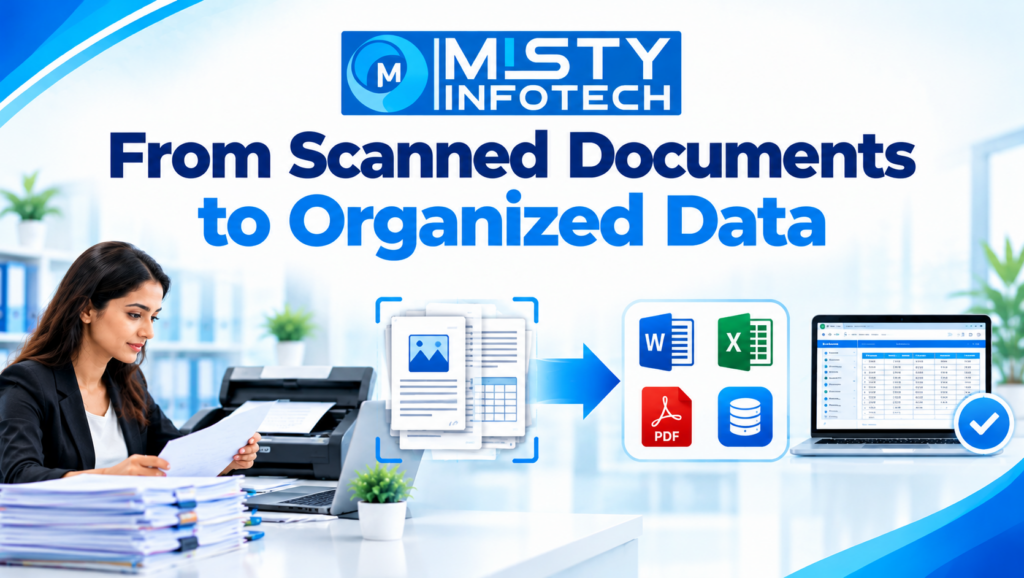
From Scanned Documents to Organized Data
Businesses handle a wide variety of documents every day, including printed forms, invoices, application records, customer details, reports, and archived files. Many of these documents are stored as scanned images or PDFs, making it difficult to search, edit, analyze, and update the information they contain.
Transforming scanned documents into organized digital data helps businesses make their information easier to access and manage. Through document digitization, data extraction, data entry, and verification, companies can convert paper-based information into structured digital records.
From Scanned Documents to Organized Data explains how businesses can streamline document processing, improve record management, and make better use of their information.
What Does It Mean to Convert Scanned Documents Into Organized Data?
Scanned documents are digital images of physical documents. Although they can be viewed on a computer, their contents may not be directly editable or searchable.
Organizing scanned information involves extracting the required content, transferring it into an appropriate digital format, and checking it for accuracy.
Depending on the project, the process may involve:
Scanning and digitizing paper documents
Extracting text from images and PDFs
Converting information into Word or Excel files
Entering data into spreadsheets or databases
Categorizing and indexing documents
Verifying information against source records
Identifying incomplete or duplicate entries
Organizing digital files for future retrieval
The objective is to make information more structured and useful for everyday business operations.
Why Businesses Need Document Digitization
1. Improve Access to Business Information
Paper records and unorganized scanned files can be difficult to locate when information is needed quickly.
Digitization and structured recordkeeping can help businesses organize documents by date, category, customer, reference number, or another suitable identifier.
When searchable formats and consistent naming conventions are used, employees can locate information more easily.
2. Reduce Manual Data Entry Effort
Manually copying information from hundreds or thousands of scanned pages can be time-consuming.
Optical Character Recognition (OCR) can help extract printed text from suitable images and scanned documents. The extracted information can then be reviewed, corrected, and transferred into the required format.
OCR does not guarantee perfect accuracy, particularly with blurry scans, handwriting, complex tables, or unusual layouts. Quality checks remain important.
3. Maintain More Consistent Records
Information collected over time may contain inconsistent dates, spelling variations, missing fields, or different formatting styles.
A structured data-processing workflow can standardize selected fields and identify entries that need further review.
Consistent records make it easier for businesses to maintain databases and use information across different processes.
4. Support Digital Recordkeeping
Digitized and organized records can support document storage, retrieval, reporting, and administrative operations.
Businesses may use digital records to maintain customer information, manage supplier documents, organize invoices, and preserve historical records.
Access controls, backup procedures, and appropriate retention policies should be established for important business information.
5. Help Teams Work More Efficiently
Employees may spend valuable time searching for files, checking records, and manually transferring information between systems.
An organized document-processing workflow can reduce unnecessary handling and help teams focus on tasks that require their direct attention.
Common Services Used to Transform Scanned Documents
Different document types require different processing methods. The appropriate approach depends on the source material and the required output.
Scanned PDF to Word Conversion
This process converts scanned document content into an editable Word file.
It may be useful for letters, reports, agreements, printed forms, and other documents that need revision. Text recognition and formatting checks may be required to preserve the original structure.
Scanned PDF to Excel Conversion
Businesses often need to extract tabular information from scanned reports, invoices, lists, or statements.
The extracted data can be organized into spreadsheet rows and columns. Figures, headings, and column alignment should be checked carefully before the file is used.
JPG to DOC Conversion
JPG to DOC conversion transfers information from image files into editable Word documents.
It may be suitable for scanned letters, printed pages, forms, and image-based documents. The result depends on image quality, text clarity, and the complexity of the layout.
Image-to-Text Conversion
Image-to-text processing extracts written or printed content from image files.
OCR may be used to recognize printed text, while manual review can help correct recognition errors and handle content that automated tools cannot process reliably.
Form Processing
Forms often contain structured fields such as names, addresses, dates, identification numbers, and other details.
Form-processing services can transfer these fields into spreadsheets or databases while following predefined data-entry and validation rules.
Document Indexing and Categorization
Indexing involves assigning relevant identifiers or categories to documents so they can be located later.
Depending on the requirements, documents may be organized by document type, date, department, customer reference, or project identifier.
Industries That Can Benefit From Organized Digital Data
Healthcare and Insurance
Organizations may need to process administrative forms, insurance documents, claims-related records, and other paperwork. Sensitive information should be handled according to applicable privacy and data-protection requirements.
Education
Schools, colleges, and educational institutions may digitize admission forms, student records, certificates, and administrative documents.
Finance and Accounting
Businesses may convert invoices, receipts, statements, and financial tables into structured digital records. Extracted figures should be verified before being used for accounting or financial reporting.
Real Estate
Property records, application forms, agreements, and client documents can be digitized and indexed to support organized recordkeeping.
E-Commerce and Retail
Retailers may process supplier documents, inventory sheets, product information, order records, and other business paperwork.
Logistics and Manufacturing
Shipment forms, delivery documents, inventory records, product specifications, and operational reports may be converted into searchable or structured digital formats.
How the Document-to-Data Process Works
A clearly defined workflow helps businesses manage document conversion and maintain data quality.
Step 1: Collect and Review Documents
Identify document types, scan quality, page counts, and the required output.
Step 2: Extract Information
Use suitable OCR tools, manual data entry, or a combination of methods to capture the required information.
Step 3: Structure the Data
Organize extracted information into Word files, spreadsheets, databases, or other agreed formats.
Step 4: Verify and Organize
Check important fields, correct errors, apply categories, and prepare the final records for delivery.
The workflow should be adapted to the document type, accuracy requirements, volume, and confidentiality obligations of each project.
Best Practices for Accurate Document Processing
Businesses can improve the quality of their digitization projects by following a few practical guidelines.
Use clear source documents: Better scan resolution and legible text generally improve extraction results.
Define output requirements: Specify whether the final data should be delivered in Word, Excel, CSV, a database, or another format.
Standardize data fields: Establish consistent formats for dates, names, reference numbers, and other important information.
Verify critical information: Pay special attention to figures, identifiers, dates, and other fields where errors could have significant consequences.
Protect confidential records: Restrict access and use suitable file-transfer, storage, and retention procedures.
Maintain quality records: Track completed volumes, identified errors, corrections, and unresolved issues.
Establish clear naming conventions: Organize digital files so authorized users can identify and retrieve them efficiently.
What to Consider When Choosing a Document Processing Provider
Before outsourcing a document digitization project, businesses should assess the provider’s ability to meet their specific requirements.
Processing capabilities: Confirm that the provider can handle the required document types, formats, and project volumes.
Quality assurance: Ask how extracted information is checked and how errors are corrected.
Data security: Establish expectations for confidentiality, access permissions, file transfer, storage, and deletion.
Turnaround time: Agree on realistic delivery schedules based on the document volume and complexity.
Communication: Define project instructions, reporting arrangements, and procedures for handling unclear or incomplete source information.
Service terms: Confirm the deliverables, pricing, responsibilities, and scope of work before the project begins.
Document Processing and BPO Support With Misty Infotech
Misty Infotech operates in the data entry, BPO, and data-processing business area. Businesses exploring document digitization or data-processing services should confirm their specific requirements, the provider’s capabilities, quality-control procedures, data-security arrangements, and commercial terms.
Misty Infotech also offers a Business Franchise Opportunity for entrepreneurs, business owners, and investors interested in data entry, BPO, data processing, and related business operations.
Depending on the approved business model, franchise partners may receive project-related guidance, technical assistance, operational support, and business process guidance. Interested parties should confirm the approved scope and terms before making a business commitment.
Important Business Disclaimer
This is a business franchise opportunity for entrepreneurs, business owners, and investors. It is not a job, work-from-home opportunity, freelance work, internship, or employment offer.
Conclusion
Turning scanned documents into organized data helps businesses make information easier to search, edit, maintain, and use.
From PDF conversion and image-to-text extraction to form processing, database entry, and document indexing, a structured digitization process can support more efficient recordkeeping.
The best approach combines suitable technology, clear processing instructions, careful verification, and secure information handling. By treating document digitization as part of a wider data-management strategy, businesses can build more organized and accessible digital records.
So, we are also on Facebook
Go back to home page: www.mistyinfotech.com
If you want to Direct Data Entry Projects with Company with Us Please go here: Direct Data Entry Projects with Company