
Convert Your Documents Into Usable Data
Businesses handle information in many forms, including scanned documents, paper records, PDF files, images, invoices, application forms, and spreadsheets. Although these documents contain valuable information, using that information can be difficult when it is not available in a structured, editable format.
Document conversion helps businesses transform information from one format into another so it can be searched, edited, organized, and processed more efficiently. When combined with data entry and verification, it can support better recordkeeping and smoother business operations.
Convert Your Documents Into Usable Data explores how document conversion works, which services businesses can use, and how organized digital information can support everyday operations.
What Does It Mean to Convert Documents Into Usable Data?
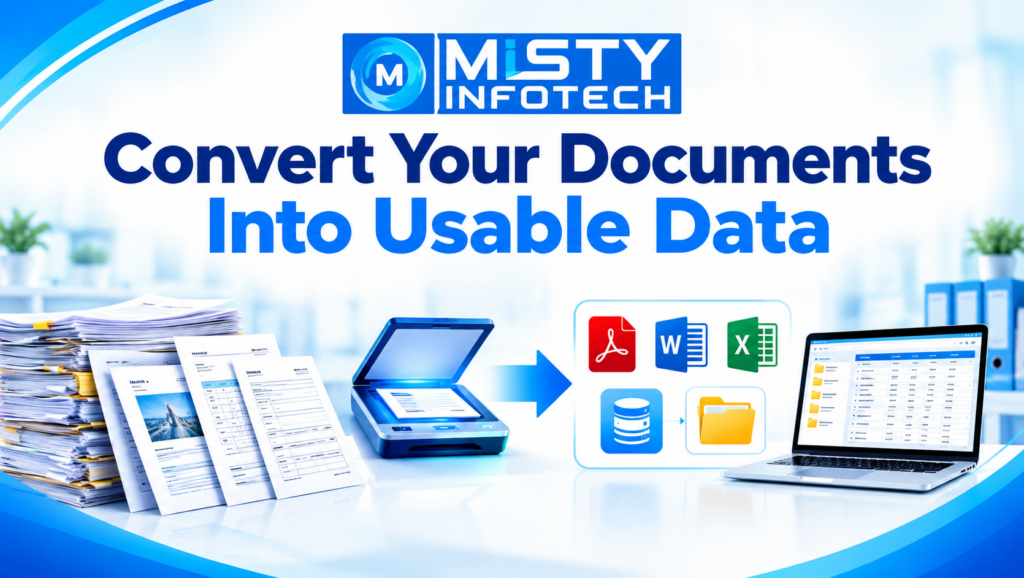
Document conversion involves transforming information from its original format into a format that better suits a business’s requirements.
For example, a scanned invoice may contain product names, quantities, prices, and invoice numbers. Converting its contents into a structured spreadsheet can make the information easier to review and process.
Depending on the project, document conversion may involve:
Extracting text from scanned documents
Converting PDF files into Word documents
Transferring tables from PDF files into Excel
Converting JPG images into editable documents
Digitizing paper-based records
Organizing information into databases
Categorizing and indexing digital files
Verifying extracted information against source documents
The required output depends on how the business intends to use the information.
Why Businesses Need Document Conversion Services
1. Make Information Easier to Access
Information stored in paper files or unorganized scanned documents can be difficult to locate.
Converting documents into searchable digital formats can help employees find relevant information more easily. Consistent file names, categories, and indexing procedures can further improve document organization.
2. Simplify Data Processing
Businesses often need to transfer information from documents into spreadsheets, databases, or business applications.
Document conversion can help prepare this information for further processing. For example, extracting invoice details into a spreadsheet can make it easier to review quantities, dates, and transaction references.
The converted data should be checked before it is used for important business activities.
3. Reduce Repetitive Manual Work
Manually retyping information from large volumes of documents can consume considerable time.
Suitable tools, including Optical Character Recognition (OCR), can help extract printed text from scanned pages and images. The extracted information can then be reviewed, corrected, and organized.
OCR results may contain errors when documents are blurry, handwritten, or poorly formatted, so verification remains important.
4. Support Better Record Management
Digital documents can be organized according to categories such as customer name, date, document type, department, or reference number.
A structured system helps businesses maintain consistent records and makes information easier to retrieve when required.
5. Improve Information Usability
A document may contain valuable information that is difficult to analyze in its original format.
When that information is converted into a structured spreadsheet or database, businesses may find it easier to sort records, compare values, identify missing fields, and prepare reports.
The usefulness of the result depends on the accuracy and completeness of the converted information.
Common Document Conversion Services
PDF to Word Conversion
PDF to Word conversion transforms document content into an editable Word format.
Businesses may use this service for reports, letters, forms, agreements, and other documents that need revision. Scanned PDFs may require OCR, and the resulting file may need formatting corrections.
PDF to Excel Conversion
PDF to Excel conversion transfers tabular information into spreadsheet rows and columns.
This can be useful for invoice details, inventory lists, reports, price tables, and other structured information.
Figures, headings, and column alignment should be checked carefully, particularly when the spreadsheet will be used for financial or operational decisions.
JPG to DOC Conversion
JPG to DOC conversion helps transfer text from image files into editable Word documents.
It may be suitable for scanned letters, printed forms, certificates, and image-based records. Results depend on image clarity and the complexity of the original layout.
Image-to-Text Conversion
Image-to-text conversion extracts text from photographs, scanned pages, and other image files.
OCR can automate part of this process for printed text, while manual review can help correct recognition errors and handle content that requires additional attention.
Paper Document Digitization
Paper documents can be scanned and converted into digital files for organized storage and retrieval.
Depending on business requirements, the process may also include indexing, categorization, data extraction, and record verification.
Data Entry Into Spreadsheets and Databases
Some projects require more than converting a file. Information may need to be entered into predefined spreadsheet columns, database fields, or business systems.
Clear field definitions and validation rules help ensure that the information is entered consistently.
How to Convert Documents Into Usable Data
A structured workflow helps businesses maintain quality throughout the conversion process.
Step 1: Collect and Review Documents
Identify the source formats, document volume, scan quality, and information that needs to be extracted.
Step 2: Extract the Information
Use appropriate conversion tools, OCR, or manual data entry to capture the required content.
Step 3: Organize the Data
Place the extracted information into the required Word files, spreadsheets, databases, or other formats.
Step 4: Verify and Deliver
Check important fields, correct errors, review formatting, and prepare the final files according to the agreed requirements.
The workflow should be adapted to the type of documents, required accuracy, confidentiality obligations, and intended use of the converted data.
Which Industries Can Benefit From Document Conversion?
Document conversion can support a wide range of business operations.
Healthcare and insurance: Administrative forms, insurance documents, and record processing, subject to applicable privacy and data-protection requirements.
Education: Student forms, admission records, certificates, and institutional documents.
Finance and accounting: Invoices, receipts, transaction tables, and financial documents requiring careful verification.
Real estate: Property records, agreements, listings, and customer documentation.
E-commerce and retail: Product information, supplier records, inventory lists, and order documents.
Logistics and manufacturing: Shipment forms, delivery records, product specifications, and operational reports.
Each industry should select conversion methods that suit its document formats, accuracy requirements, and regulatory responsibilities.
Best Practices for Accurate Document Conversion
Businesses can improve conversion quality by following these practical guidelines:
Use clear source files: Better scan resolution generally improves text extraction.
Choose the right output format: Decide whether the information belongs in Word, Excel, a database, or another format.
Maintain consistent formatting: Establish rules for dates, names, reference numbers, and other fields.
Verify important information: Check figures, identifiers, dates, and other critical values against the source.
Protect confidential documents: Use suitable access controls, secure file transfers, and retention procedures.
Keep original files: Retain source documents according to business policies and applicable requirements.
Review final deliverables: Confirm that the converted information is complete, readable, and suitable for its intended purpose.
Choosing a Document Conversion Service Provider
When considering an external provider, businesses should assess more than the price of the service.
Technical capabilities: Confirm that the provider can handle the required file types, layouts, and document volumes.
Quality assurance: Ask how conversion accuracy is checked and how errors are corrected.
Data security: Establish expectations for confidentiality, file access, storage, transfer, and deletion.
Turnaround time: Agree on realistic delivery timelines based on project size and complexity.
Communication: Define the process for handling unclear documents, missing information, and special instructions.
Commercial terms: Clarify the scope, deliverables, responsibilities, and pricing before beginning the project.
A clearly defined agreement helps reduce misunderstandings and supports more consistent project delivery.
Document Conversion and BPO Support With Misty Infotech
Misty Infotech operates in the data entry, BPO, and data-processing business area. Businesses exploring document conversion or related services should confirm their project requirements, the provider’s capabilities, quality-control procedures, data-security arrangements, and commercial terms.
Misty Infotech also offers a Business Franchise Opportunity for entrepreneurs, business owners, and investors interested in data entry, BPO, data processing, and related business operations.
Depending on the approved business model, franchise partners may receive project-related guidance, technical assistance, operational support, and business process guidance. Interested parties should confirm the approved scope and terms before making a business commitment.
Important Business Disclaimer
This is a business franchise opportunity for entrepreneurs, business owners, and investors. It is not a job, work-from-home opportunity, freelance work, internship, or employment offer.
Conclusion
Converting documents into usable data helps businesses make information easier to edit, search, organize, and process.
From PDF conversion and image-to-text extraction to data entry, indexing, and database organization, the right approach can support more effective digital record management.
By combining suitable tools with clear procedures, accurate verification, and secure information handling, businesses can turn document-based information into structured data that better supports their daily operations.
So, we are also on Facebook
Go back to home page: www.mistyinfotech.com
If you want to Direct Data Entry Projects with Company with Us Please go here: Direct Data Entry Projects with Company