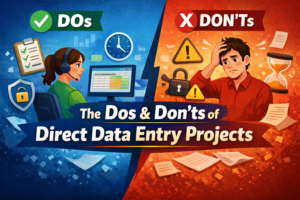
How to Safeguard Your Privacy and Data as a Data Entry Worker
In today’s digital world, data entry professionals handle sensitive information daily — customer records, financial data, login credentials, and confidential documents. Whether you’re working with clients directly or through platforms like Upwork, Fiverr, or Freelancer.com, protecting privacy is not optional — it’s your professional responsibility.
Here’s a practical guide to keeping your data — and your client’s data — secure.
1️⃣ Use Secure Devices and Updated Systems
Your first line of defense is your own device.
✔ Always keep your operating system updated (Windows/macOS updates fix security bugs).
✔ Install licensed antivirus software.
✔ Enable your firewall.
✔ Avoid using public computers for client work.
Pro Tip: Turn on automatic updates so you never miss critical security patches.
2️⃣ Create Strong & Unique Passwords
Weak passwords are the biggest risk in remote work.
🔐 Use:
Minimum 12–16 characters
Combination of letters, numbers & symbols
Different password for every platform
Use trusted password managers like LastPass or 1Password to store them securely.
3️⃣ Enable Two-Factor Authentication (2FA)
Always enable 2FA for:
Email accounts
Freelancing platforms
Cloud storage
Payment apps
Apps like Google Authenticator add an extra layer of protection beyond your password.
4️⃣ Use Secure Internet Connections
Avoid working on public Wi-Fi in cafés or co-working spaces.
If necessary:
✔ Use a reliable VPN
✔ Ensure websites start with HTTPS
✔ Never access banking or payment accounts on public Wi-Fi
A secure connection reduces the risk of hacking or data interception.
5️⃣ Protect Client Files Properly
As a data entry worker, you may handle:
Customer databases
Excel sheets
ID documents
Billing information
Follow these rules:
✔ Store files in encrypted folders
✔ Use secure cloud services
✔ Never download unnecessary copies
✔ Delete files after project completion (if contract allows)
Cloud services like Google Drive and Dropbox offer built-in security features when configured properly.
6️⃣ Beware of Phishing Scams
Scammers often target freelancers.
⚠ Warning signs:
“Urgent” payment issues
Suspicious attachments
Unknown links
Clients asking for OTP or banking details
Always verify client identity on official platforms before sharing information.
7️⃣ Sign NDAs & Follow Compliance Rules
Professional data entry workers should:
✔ Sign Non-Disclosure Agreements (NDAs)
✔ Understand client privacy policies
✔ Follow GDPR or data protection regulations when applicable
This builds trust and protects you legally.
8️⃣ Backup Your Data Regularly
Unexpected crashes or malware attacks can wipe everything.
✔ Keep offline backups
✔ Use encrypted external drives
✔ Schedule automatic cloud backups
Having backups ensures business continuity.
9️⃣ Separate Work & Personal Accounts
Do not mix:
Personal email & client email
Personal Google Drive & work drive
Personal banking & client transactions
Professional separation reduces exposure risk.
🔟 Keep Learning About Cybersecurity
Cyber threats evolve constantly. Stay informed by following:
Cybersecurity blogs
Platform safety updates
Industry best practices
Investing time in digital safety protects your career long-term.
🚀 Final Thoughts
As a data entry worker, your reputation depends on trust. Clients hire you not only for speed and accuracy — but also for confidentiality.
By using strong passwords, secure connections, encrypted storage, and proper compliance practices, you protect:
✔ Your client’s sensitive data
✔ Your freelance reputation
✔ Your income source
Data security isn’t complicated — but it requires discipline.

So, we are also on Facebook
Go back to home page: www.mistyinfotech.com
If you want to Direct Data Entry Projects with Company with Us Please go here: Direct Data Entry Projects with Company